

















Fighting Samsung's Force Dark Mode

My site was ready. I had a blog post primed, mobile and desktop functioned well, and the styling looked great.
I decided to share it with a friend over WhatsApp, also a good way to test the open graph metadata - it worked! He thought it looked good, I started the live deploy, and posted it on socials. Done!
It was only after that I had the idea to do some real on-device mobile testing...
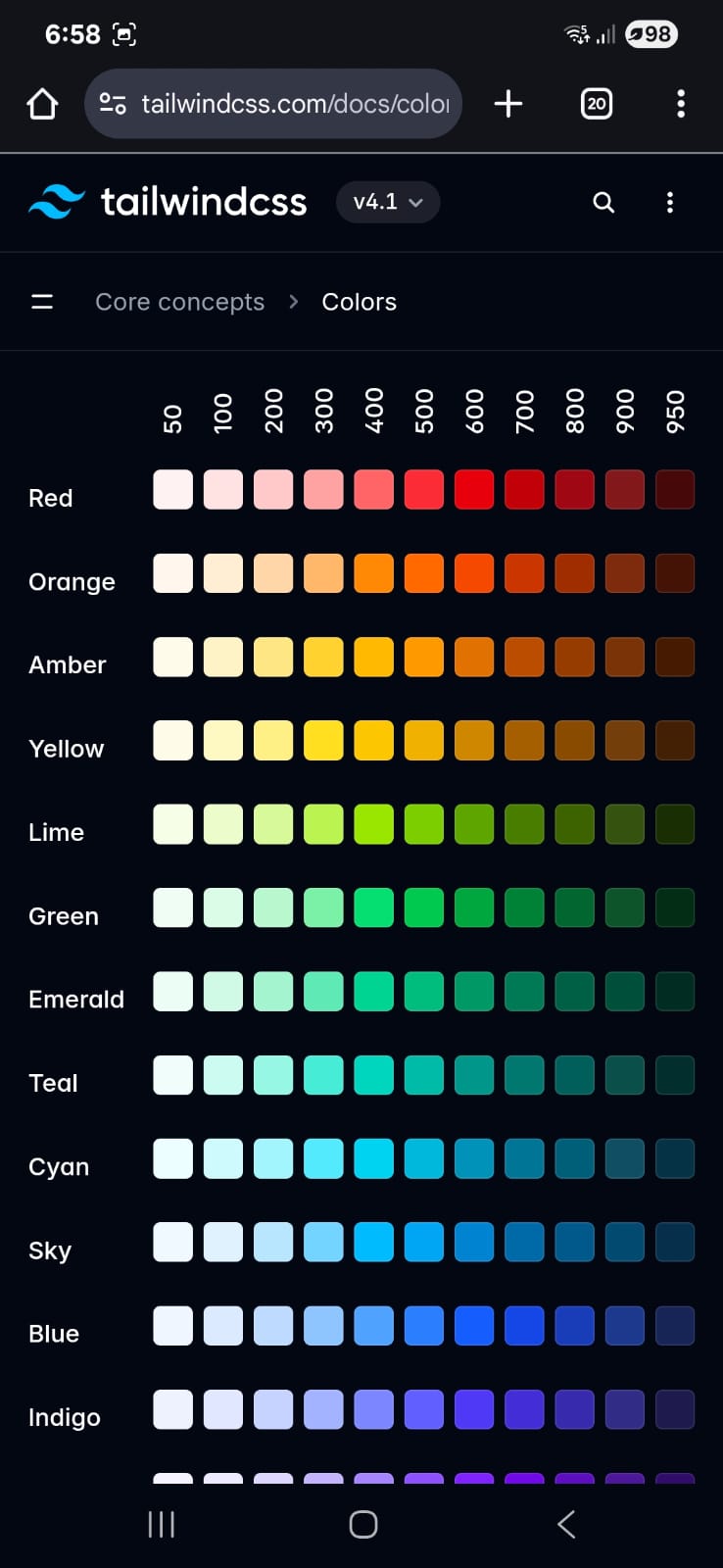
This time not just chrome dev emulator! To my horror I was met the following screen:
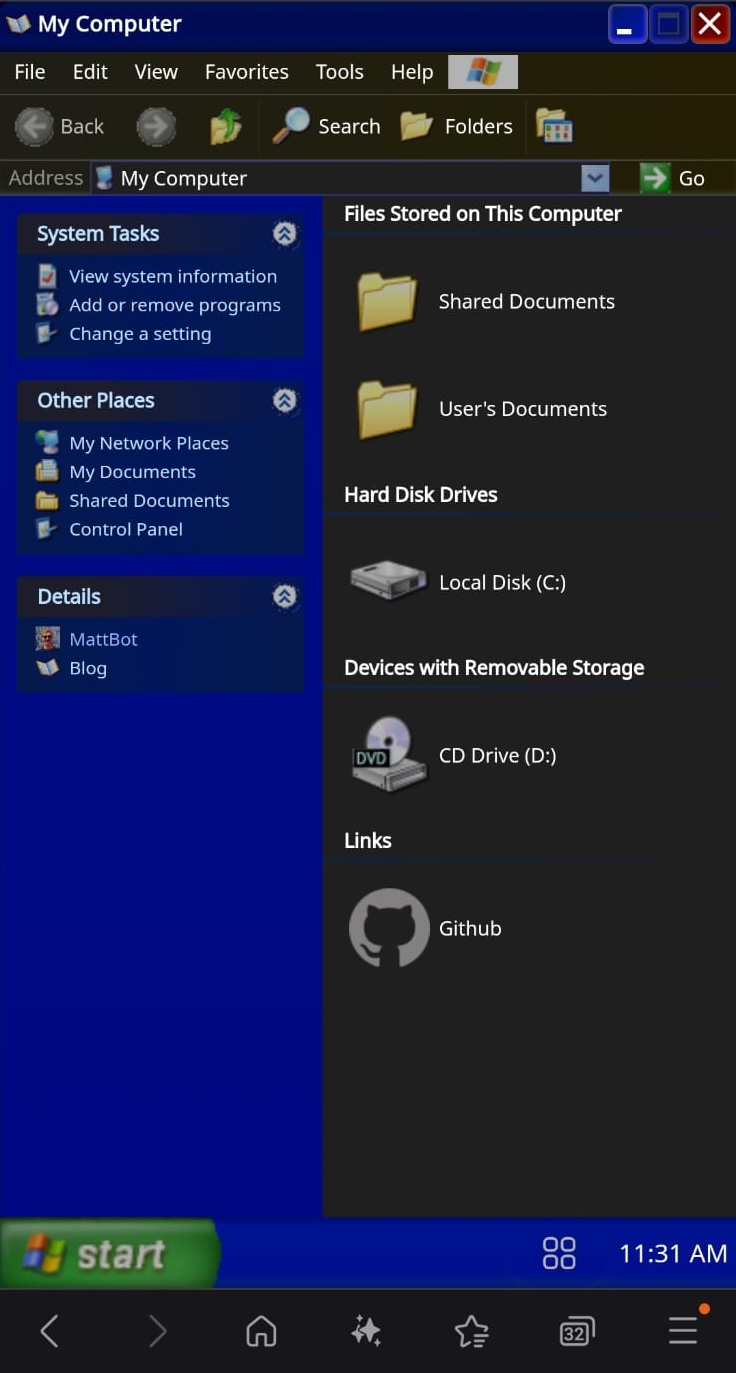
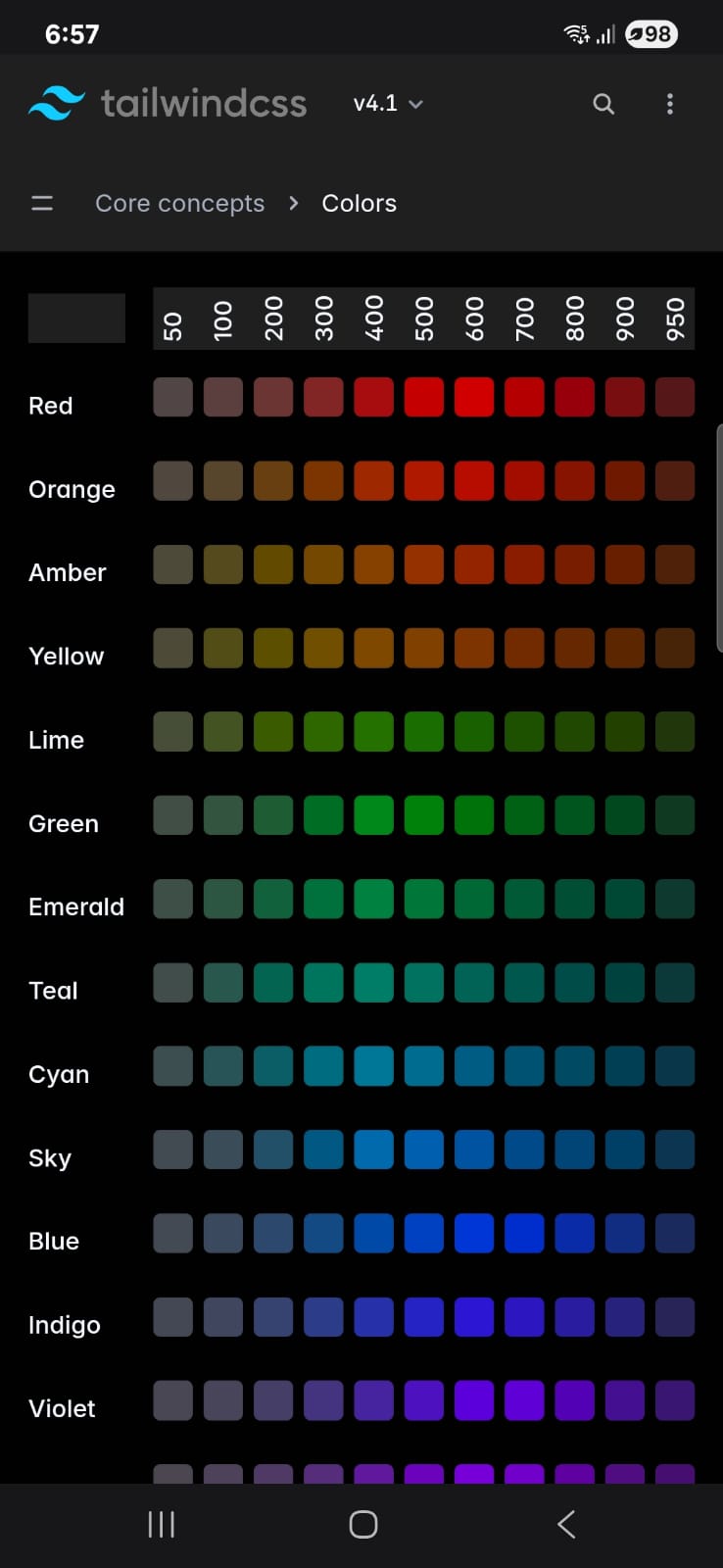
The footer gradients, the top bar and buttons... well they looked a bit shit! Convinced, "This is what people are seeing on mobile!", I was also a little embarrassed.
Samsung Dark Mode
The sky was not falling. I had recently moved over to a new phone and not changed my default browser. Leaving my site to the mercies of Samsung's "Internet" app!
Forcing Dark Mode
I had, already implemented a dark mode. Detected via media query, it had tested well in emulators but Samsung was doing its own thing.
When dark mode is enabled for the Samsung internet browser, Samsung apply their own proprietary algorithm↗ to forcibly convert your app to dark mode. This is done with the intention of saving your eyes but also your battery life at night.
The result however, is some rather frustrating alteration of colours!
Ribbon Gradient
The main reason the app displayed poorly was down to the beautiful, nostalgic, ribbon gradient. It had been replaced with a block of blue where my footer and app window top bars should be.
Finding a solution
You might think, “why bother?”. Its true that Samsung internet users represent less than 2% of browser usage↗ globally.
But where's the fun in that! It seemed like an interesting problem to solve at least.
Attempt #1 - Change the default colours
As the Samsung proprietary algorithm is doing its own thing with colours, maybe we could pick a colour that works better with that algorithm?
My gut feeling said that the Samsung browser was viewing the ribbon gradient div colour as an average value. I.e. it took the lightness average of the div as a whole and if too high it replaced with a block colour of the same averaged hue/saturation.
Hue Saturation Lightness.
Up til now, my colours were hex values, a little opaque. Converting to hsl values, you can inspect the lightness. I figured, a good way to find a ribbon gradient that works on Samsung.
Tweaking the lightness values of the gradient would allow the footer gradient to appear and not just be a block of colour.
Preview
hsl(200 70% 50%)
#269DD9
HSL Ribbon grid
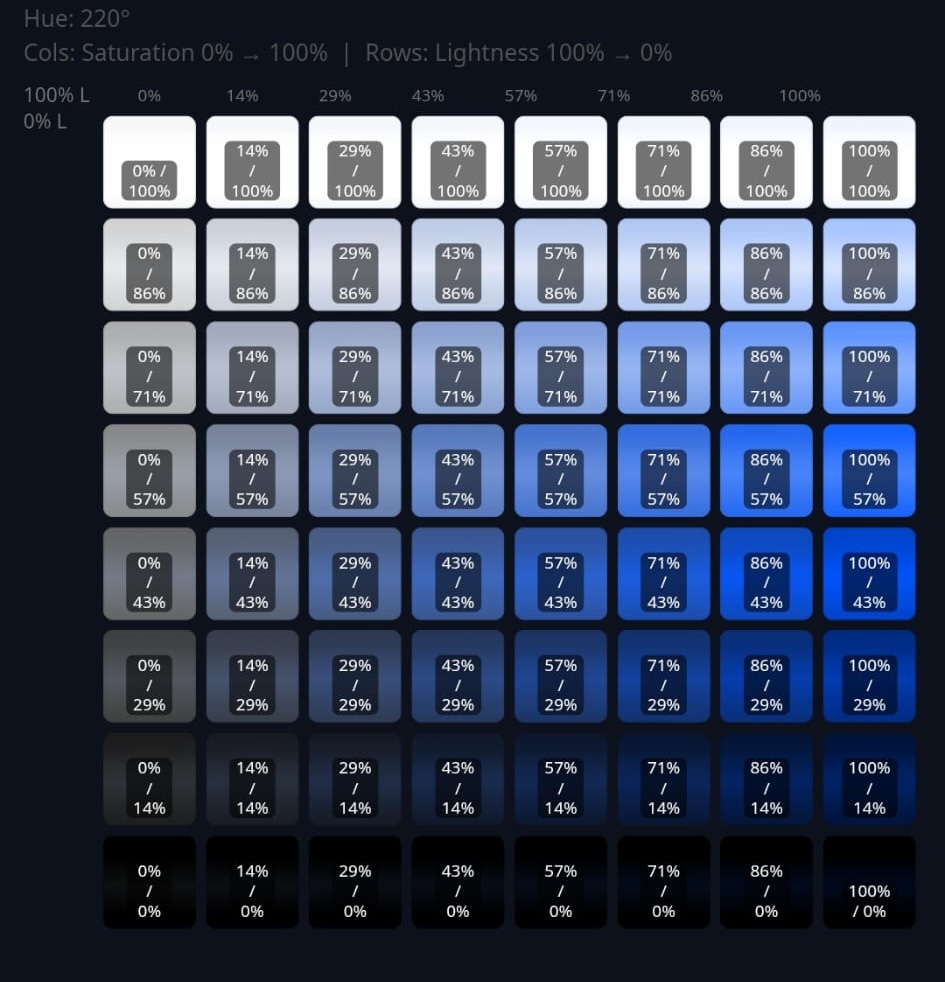
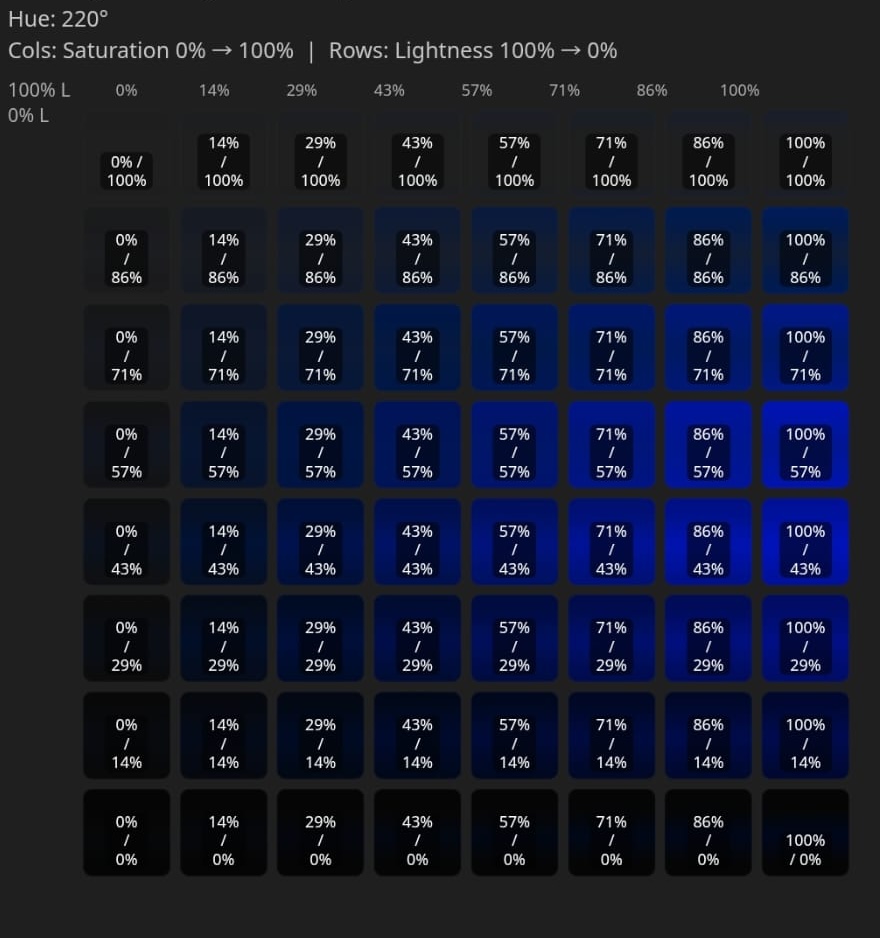
The following grid shows different ribbon gradients across a range of saturation and lightness values. On the left we can see values viewed in Chrome vs Samsung browser. Lets pick one that is displayed on both!
Zooming in you can almost see a "cone of acceptability" where the gradient is actually displayed and not just replaced with a block of colour. So lets pick a colour from there and see what happens!
Result
Samsung browsers get this new darker ribbon gradient. But now all other browsers now get this sightly naff variant of the dark ribbon gradient.


What if we only displayed the dark ribbon gradient for Samsung browsers when in dark mode?
Attempt #2 - Detect Samsung Browsers with User Agent
Using a simple react hook we can detect the Samsung browser user agent header and apply a simple top level class to our Html body. Tailwind then has some nice features to allow us to apply styling only to Samsung.
import { useEffect } from "react";const SAMSUNG_REGEX = /Samsung|SM-|GT-|SCH-|SGH-|SHV-|SPH-|SAMSUNG|SAMSUNG-/i;export default function DetectSamsung() {useEffect(() => {if (typeof window !== "undefined" && SAMSUNG_REGEX.test(navigator.userAgent)) {document.body.classList.add("samsung");}return () => {document.body.classList.remove("samsung");};}, []);return null;}
Much like with md: lg: dark: light: selectors in tailwind we can create a samsung: selector in globals.scss
import { useEffect } from "react";@import "tailwindcss";@custom-variant samsung (&:is(.samsung *));
This can then be used in the MobileFooter.tsx component as follows.
const MobileFooter: React.FC<MobileFooterProps> = ({ ... }) => {return (<divclassName={cn("bg-[image:var(--xp-footer-gradient)]","samsung:bg-[image:var(--xp-footer-samsung-gradient)]",)}>...</div>)}
Cannot combine with dark selectors
Samsung dark mode does not respect light-scheme css selectors.
I had hoped to be able to do a combination of dark and samsung selectors. As to display the dark ribbon gradient for Samsung dark mode and the normal for Samsung light mode. Something akin to samsung:xp-light-footer samsung:dark:xp-dark-footer. But yet again, more Samsung frustration!
Result
Samsung browser displays darker ribbon gradient. But it only displays the dark mode. Samsung light mode Samsung Dark mode Looks bad Looks good
Final Attempt - Images
After some digging, I discovered that Samsung dark mode doesn't mess with images!
It followed then that it was possible then to screen shot our ribbon gradient from chrome dev tools and use the image as a background for the footer.


The MobileFooter.tsx can then be updated to look as follows
const MobileFooter: React.FC<MobileFooterProps> = ({ ... }) => {return (<divclassName={cn("bg-[image:var(--xp-footer-gradient)]","samsung:bg-[url('/assets/footer-gradient-image.png')] samsung:bg-contain",)}>...</div>)
Only using the image for the Samsung browser will improve performance for non Samsung browsers as css will load faster than an image download.
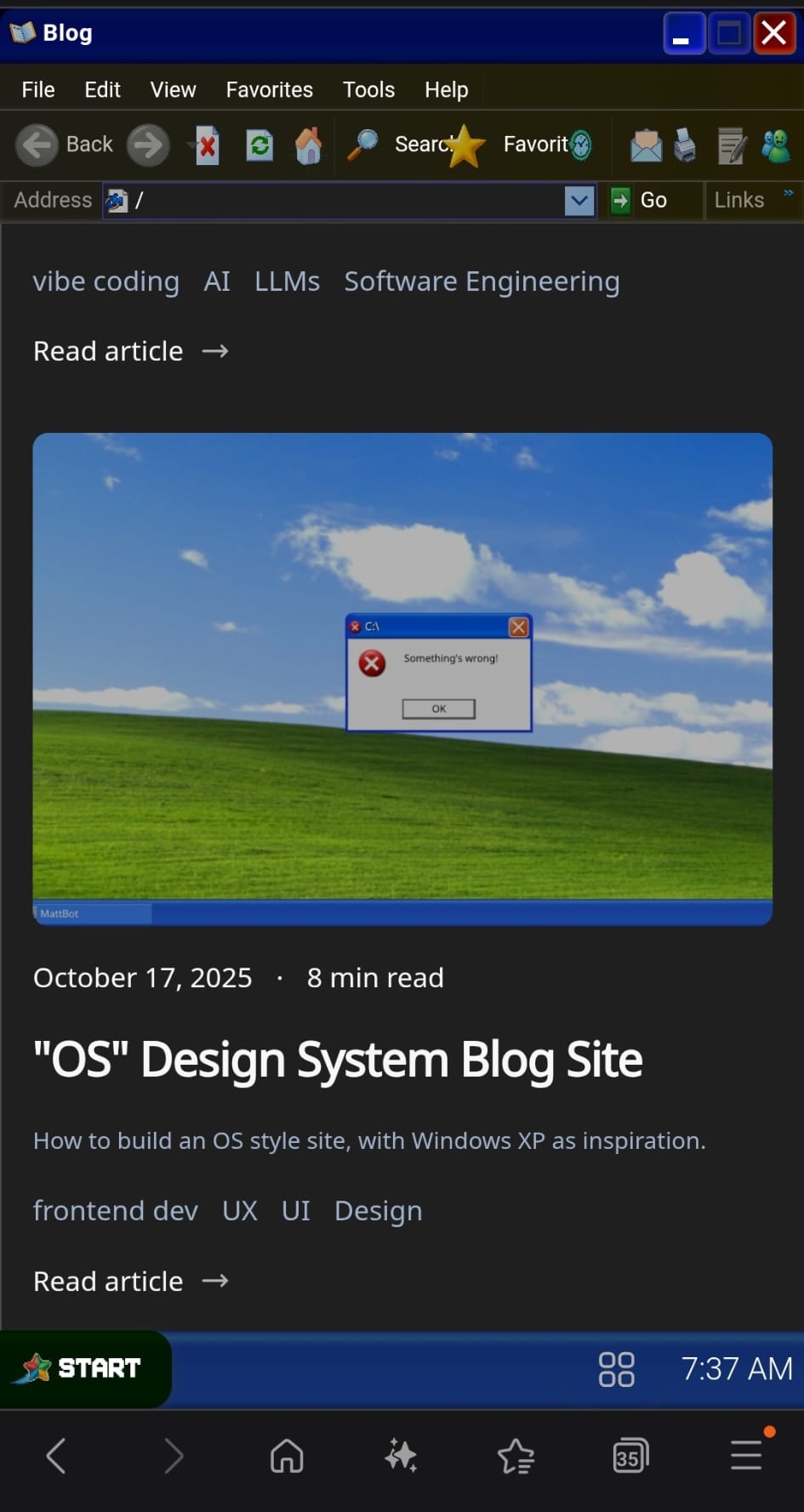
A functioning Samsung browser gradient!
Final Thoughts
While I respect the move to introduce something new to the web world. If this force dark approach is to gain traction, more tooling is needed to detect it.
The ability to at least detect when Samsung was forcing us into darkness would have helped immensley. I'm not against the idea, and I understand the desire to not allow devs to detect and circumvent, but it makes it bloody hard to work with without this feature!